The file
.pgpassin a user's home directory can contain passwords to be used if the connection requires a password (and no password has been specified otherwise). On Microsoft Windows the file is named%APPDATA%\postgresql\pgpass.conf(where%APPDATA%refers to the Application Data subdirectory in the user's profile). Alternatively, a password file can be specified using the connection parameter passfile or the environment variablePGPASSFILE.
This file should contain lines of the following format:
hostname:port:database:username:password
Vào thư mục C:\Users\[tên login window của bạn]\AppData\Roaming\postgresql
Tạo file pgpass.conf với nội dung
hostname:port:database:username:password
Ví dụ
localhost:5432:*:postgres:<password>
localhost:5432:*:pch:<password>
localhost:5432:*:rif40:<password>
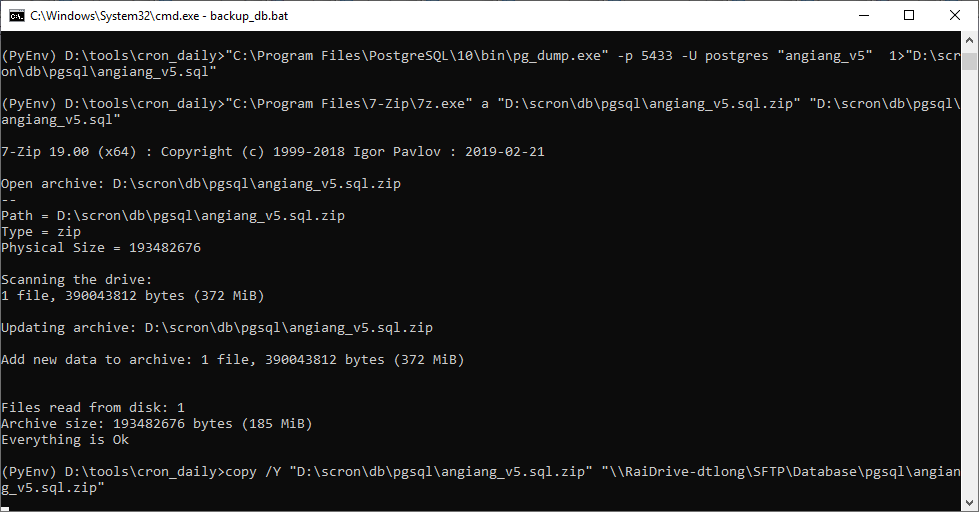
Ví dụ tool backup của mình là gen file sql, zip nó lại rồi copy qua ổ đĩa mạng để backup
::PostgreSQL 5433 postgis_31_sample
"C:\Program Files\PostgreSQL\10\bin\pg_dump.exe" -p 5433 -U postgres "postgis_31_sample" > "D:\scron\db\pgsql\postgis_31_sample.sql"
::copy /Y "D:\scron\db\pgsql\postgis_31_sample.sql" "\\RaiDrive-dtlong\SFTP\Database\pgsql\postgis_31_sample.sql"
"%ProgramFiles%\7-Zip\7z.exe" a "D:\scron\db\pgsql\postgis_31_sample.sql.zip" "D:\scron\db\pgsql\postgis_31_sample.sql"
copy /Y "D:\scron\db\pgsql\postgis_31_sample.sql.zip" "\\RaiDrive-dtlong\SFTP\Database\pgsql\postgis_31_sample.sql.zip"
del "D:\scron\db\pgsql\postgis_31_sample.sql"